Products
 Impressum

 Site Map
 Reference
 Press Center
 How to order
 Contact
 Newsletter
 Demo-Fotos


Site Map  
 
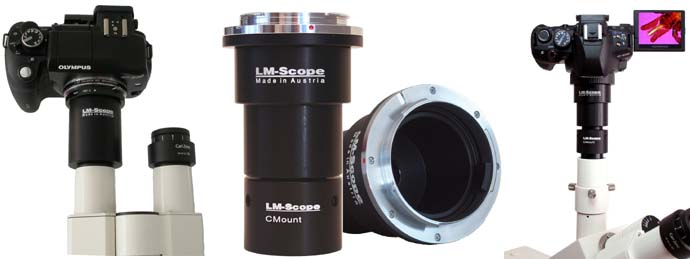
LM Digital-Adapter for

LM Digital Adapter for microscopes

Camera list of all supported models  for the LM Digital Adapter  for microscopes
LM conversion kit for microcopes
Standard C-Mount Connection for Olympus BH Microscopes
Universal connection for all established digital single-lens reflex cameras for Nikon microscopes with V-T phototube
Converting the WILD M400 / M420 photomacroscope with square tube for the WILD MPS55 photoautomat using a C-mount connection
Using the Canon XL H1 / XL H1A / XL H1S / XL2 professional studio HDV camcorder with a microscope
.
Tele Macro Objektive

LM DSLR macro lens 40 mm / 80mm
.
Mounting media
Special mounting media  for confocal and fluorescence microscopy
Order - Information - Contact
Contact
How to order

ONLINE-order form (SSL-secured connection)

 FAX-order form


Support
Overview consumer cameras 

Overview  digital slr cameras
Tubus husk #TUSTA for  LM Digital-Adapter
C-Mount Information
More about: C-Mount Information
Advantages of digital slr cameras in microscopy

Optimal illumination for different sensor chip sizes
Consumer cameras in microscopy

Reference Clients

Demo pictures taken with the LM Digital Adapter 
Human hair surface: scale layer of human hair
Tick under the microscope
Fly, photos taken with LM Digital Macro Loupe

Synthetic sifting fabrics with fiber strength of 0,078mm with LM Digital Macro Loupe
Resorcin crystals under the microscope
Different medical images: root of the hair, liver, sperms

Blood smears and wood section under the microscope


Brain (cerebrum)section under the microscope


Bond water under the microscope


Fossil insect taken with LM Digital Macro Loupe 7x

Small intestine
(Intestinum tenue) section


Embryo finger section taken with LM Digtal Macro Loupe 7x


Human skin section
Epidermis (skin) of a dog (retriever) paw, nose, scrotum

Serie1: Skin cancer, Epidermis, Nevuscellnevus, Eczema capillitium


Human skin taken with the LM Digital Macro Loupe


Tips and tricks to connect your digital camera and to process digital images
Which digital camera functions best on a microscope?
Using the Olympus E-3 professional digital SLR camera in microscopy
Compatibility list for LM DSLR macro lenses
LM DSLR Macro Lens Workshop
Controlling Olympus digital SLR cameras from your PC with the OLYMPUS Studio 2 software
Using the Olympus E-420 digital SLR camera in microscopy
Using the Olympus E-410 digital SLR camera in microscopy
A milestone in digital microscopy and microphotography – the Nikon D300 and D3

Archiving high definition (HD) videos in microscopy, using the DivX®6.4 video compression codec with Microsoft™ Windows Vista

Using the VirtualDub 1.7 open source tool in microscopy to view and record videos with Microsoft™ Windows Vista


Improved picture quality through mirror lock-up in SLR cameras

Using the Olympus E-330 digital SLR camera in microscopy (part 2)

Canon PowerShot S80 in Microscopy

Use of the Olympus E-330 digital SLR camera in microscopy

Use of Digital SLRs with CMOS Full Format Sensors in Microscopy

Microscopy workstation with Canon EOS 350D

Live preview images with digital or analogue reflex cameras

Using DV camcorders and digital cameras in connection with the LM Digital Adapter in microscopy 
Connecting your digital camera to a TV monitor
Connecting your digital camera to a computer via video output 
Connecting your camcorder with a TV monitor
Connecting your DV camcorder to a computer via IEEE1394 (FireWire®, ILINK®) output 
Setting up and editing a database for video sequences by using the video compression system DivX® 
Demo video sequences in microscopy created with the video compression system DivX® 5 

PC remote control of the Nikon Coolpix digital camera in microscopy

Newsletter
Newsletter december 2008: Using full-frame digital SLR cameras in microscopy


FAQ, (Frequently Asked Question)
FAQ_50: I need a microscope adapter and am unable to find the price list!
FAQ 32: Setting the parfocality : I have an LM DSLR adapter. How do I ensure that the image is in focus both in the eyepiece and on the camera at the same time?
FAQ 35: I am currently using an LM digital adapter with an old microscope. My images are only focused in the centre, while at the edges they are flat and blurred (when I refocus, the edges become clear and the middle blurs).
FAQ 37: I have received a C-mount adapter from you, but it does not fit the C-mount connection on my microscope


This page is available in the following languages:      
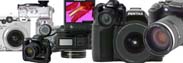
New LM Digital Adapter forCanon EOS 1Ds Mark III / Nikon D700 / Nikon D3 / Canon EOS 50D / Olympus E-30 / Nikon D300 / Canon EOS 450D / Digital Rebel XSi / Olympus E-3 / Canon EOS 1D Mark III / Sony Alpha 350 / Olympus E-330 / Olympus E-520 / Olympus E-420 / Canon EOS 1000D / Olympus E-510 / Olympus E-410 / Sony Alpha 300 / Panasonic Lumix DMC-L10 / Sony Alpha 900 / Pentax K20D / Nikon D90 / Canon EOS 40D / Olympus E-400 / Samsung GX-20 / Leica Digilux 3 / Canon EOS 5D / Canon EOS 1Ds Mark II / Canon PowerShot S80 / Olympus C-7070 Wide Zoom / Sony Alpha 700 / Olympus C-5060 Wide Zoom / Canon EOS 400D / Digital Rebel XTi / Canon PowerShot G10 / Nikon Coolpix 4500 / Sigma SD14 / Nikon Coolpix 995 / Nikon Coolpix 990 / Canon EOS 30D / Canon EOS 20Da / Canon EOS 20D / Kodak DCS Pro 14n /


High-end intermediate optics for connecting microscopes to:
  • digital compact cameras
  • digital SLR cameras
  • digital camcorders
  • video cameras
  • professional studio HDV camcorders
[Further information amd prices]
Which digital camera functions best on a microscope?
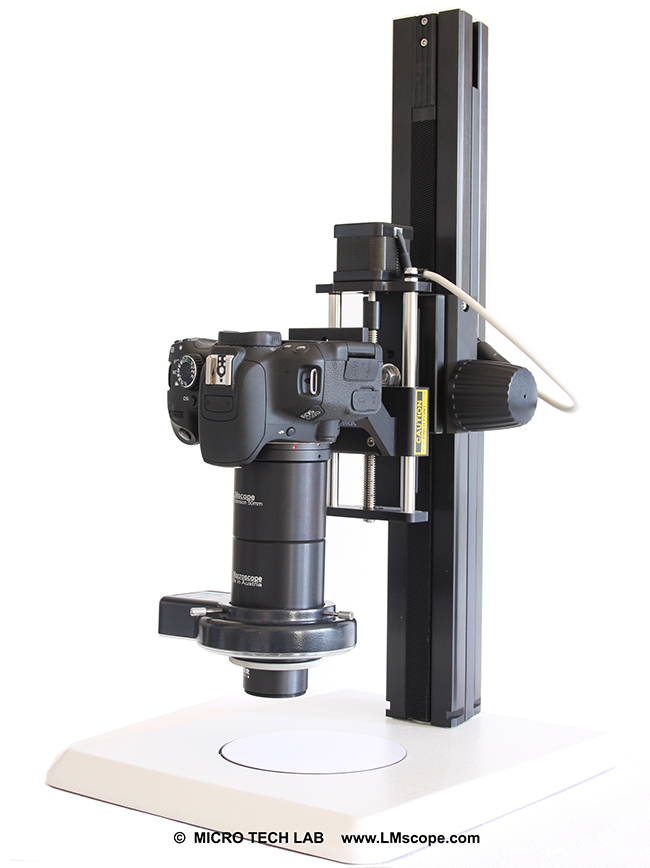
Turn your digital reflex camera into a microscope
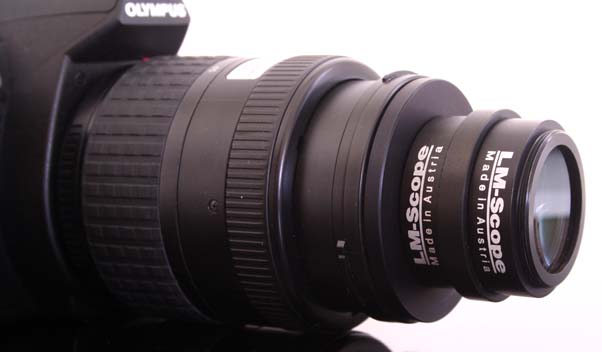
  • LM DSLR macro lens 40mm / 80mm 
  • LM DSLR macro stand with round column
[Further information amd prices]
Special mounting media  for microscopy

Tips and tricks to connect your digital camera and to process digital images


© 1999-2008 MICRO TECH LAB. All rights reserved

How to order
Contact
Home
 Newsletter