


 57
57PC remote control (Tethered Shooting) of the Nikon Coolpix digital camera in microscopy
Tips and tricks in microscopy: Presentation of the remote software snappixx (www.ruwebit.net/article/81)
This tool helps you to watch images in large format, to focus easily and then shoot a photo with a simple mouseclick. It also allows adjusting the perfect zoom position from the computer.
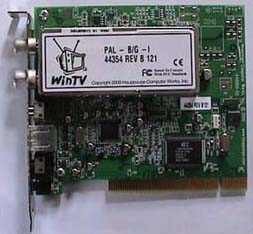
You just need a current TV card, a RS 232 cable (Nikon SC-EW3) and the software tool "Snappixx".
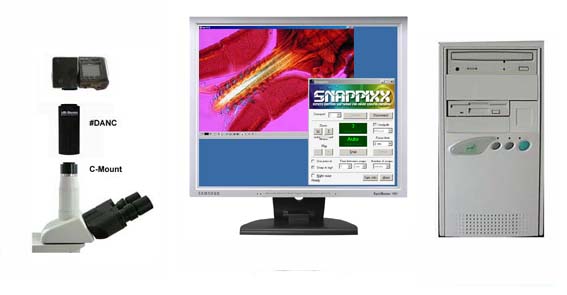
By connecting the Nikon Coolpix with the computer via cable and TV card you get a moving realtime image on the computer monitor.
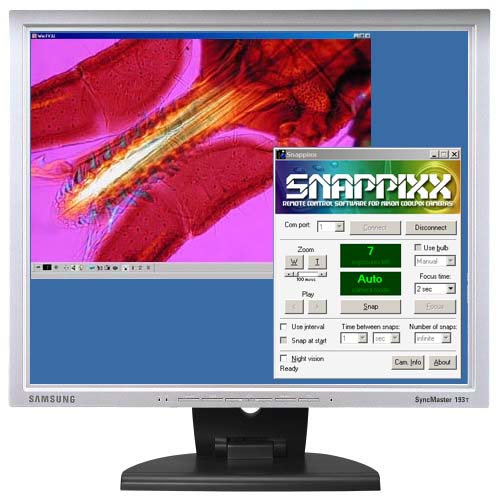
Connect the Nikon serial cable SC-EW3 with your digital camera and the computer. Snappixx allows controlling the camera from the computer via cable. You now can release the shutter from your computer as well as take image series with programmable intervals or zooming in and out from your PC.
From one single monitor it is thus possible to control all functions to take a microscope photo:
1. Focusing (a large monitor makes it easier to focus manually)
2. Zooming (absolutely important to eliminate vignetting)
3. Shutter releasing (eliminates unsharpness due to shaking the camera and so enhances the image quality)
4. Saving the built-in TFT monitor by using only the PC monitor
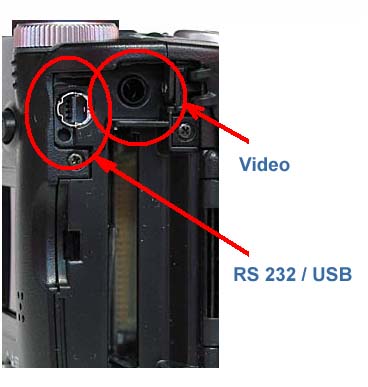
Side view of the Nikon Coolpix 4500
The USB port is also the RS232 port. Connect with the PC via Nikon Serial cable SC-EWR3.
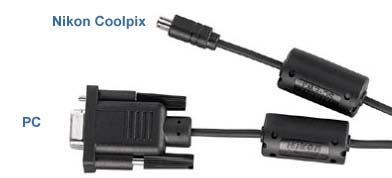
Nikon serial cable SC-EW3 for RS 232, available where Nikon accessories are sold.
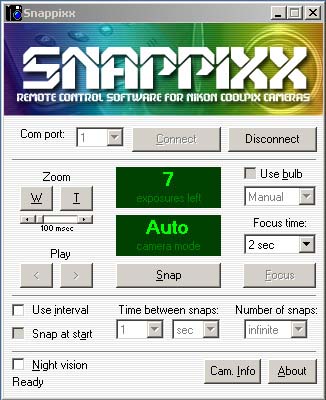
Screenshoot of Snappixx
Connecting your digial camera to a computer via video output
New LM Digital Adapter for: Sony Alpha 9 III / Nikon Z9 / Nikon Z8 / Sony Alpha 7R V / Sony Alpha 1 II / Sony Alpha 1 / Sony Alpha 9 II (ILCE-9M2) / Sony FX3 Cinema Line / Sony Alpha 9 / Nikon D6 / Canon EOS R3 / Canon EOS R6 Mark II / Canon EOS R8 / Sony Alpha 7R IV / Canon EOS R5 II / Nikon Z6III / Canon EOS R5 / Sony Alpha 7S II / Sony Alpha 7S III / Sony Alpha 7R III / Canon EOS R6 / Nikon Z6 / Nikon Z6II / Sony Alpha 7R II / Nikon Z7 / Nikon Z7II / Canon EOS R / Canon EOS Ra (Astro) / Nikon Z5 / Sony Alpha 7C / Canon EOS RP / Sony Alpha 7S / Canon EOS R7 / Leica SL2-S / Canon EOS R10 / Nikon Z50 II / Canon EOS 1D X Mark III / Nikon Z50 / Nikon Z30 / Nikon Z fc / Nikon D850 /