


 44
44LM Direct Image C-Mount Port 1x with C-Mount connection (Ordering Code: LMVTC4x) for WILD M400 photomacroscope with square tube for the WILD MPS55 photoautomat
A simple conversion of the WILD M400 photomacroscope enables digital single-lens reflex cameras (digital SLR cameras), digital compact cameras and video cameras to be used with this model.
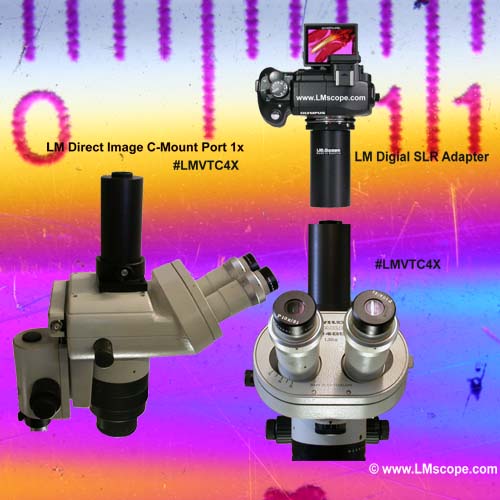
The picture below shows the objective head of the WILD M400 photomacroscope with a square phototube for the old analogue camera system MPS55.
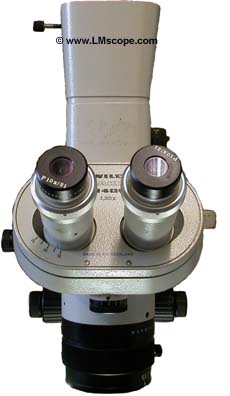
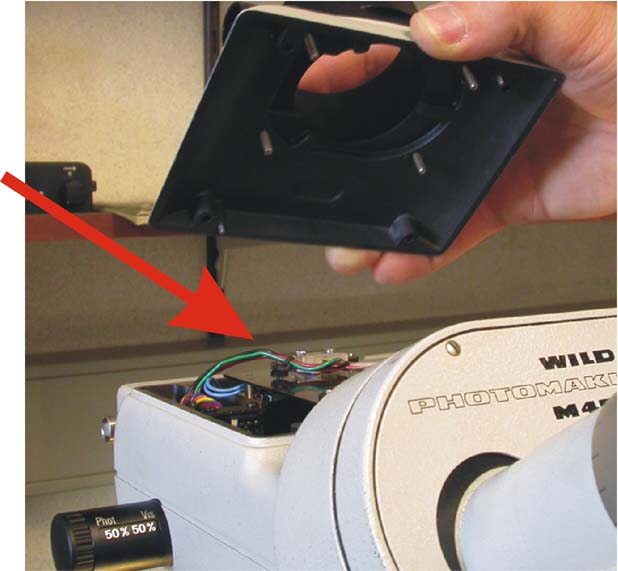
First, unscrew the entire phototube with the black intermediate plate and the square base plate which bears the writing WILD.
To do this, simply remove the four countersunk screws. Now you can lift off the whole of the old phototube. Next, unscrew the 4 screws from the base plate that bears the writing WILD. This separates the square base plate from the square phototube, including the black intermediate plate.
Finally, remove the attachment with the iris diaphragm. This attachment must be removed as it belongs to the automatic exposure control of the old, analogue film camera.
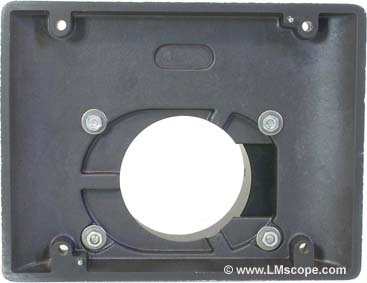
Then, the black anodized tube base plate supplied by us must be screwed onto the light grey WILD tube base plate using the 4 nuts and bolts provided.
The black oval intermediate plate is no longer required.
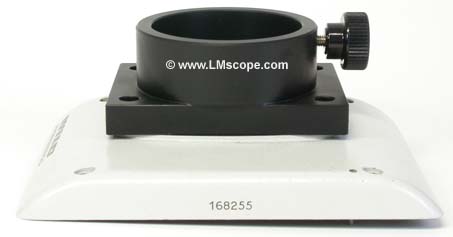
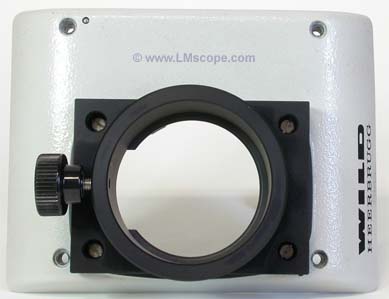
Now, insert the black anodized phototube with C-mount connection thread into the base plate and secure it using the knurled screw.
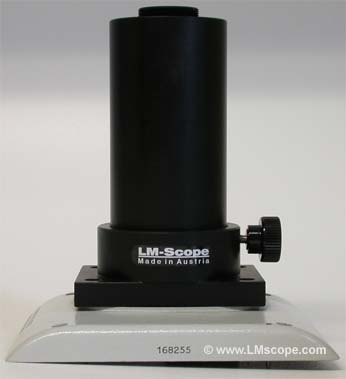
LM Direct Image C-Mount Port 1x with C-Mount connection (Ordering Code: LMVTC4x)
Now you only need to screw the entire unit onto the head of the WILD M400 photomacroscope using the 4 available screws.
Once the assembly is complete and the respective LM digital adapter and your digital camera have been screwed on, you can start taking images immediately.
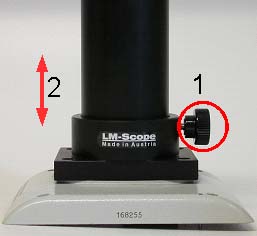
If the focal plane between the photographic equipment and the binocular tube does not correspond, it must be optically aligned. To do this, first loosen the knurled screw so that the tube can be moved. You can now set the correct focal plane by raising and lowering the tube with the photographic equipment mounted on it. You can either check the image in the digital camera’s viewfinder or on your camera’s LCD display using the “Live View” function.
We hope you have plenty of success with the LMscope conversion kit!
For further information and prices see our database. Please select a camera model.
New LM Digital Adapter for: Sony Alpha 9 III / Nikon Z9 / Nikon Z8 / Sony Alpha 7R V / Sony Alpha 1 II / Sony Alpha 1 / Sony Alpha 9 II (ILCE-9M2) / Sony FX3 Cinema Line / Sony Alpha 9 / Nikon D6 / Canon EOS R3 / Canon EOS R6 Mark II / Canon EOS R8 / Sony Alpha 7R IV / Canon EOS R5 II / Nikon Z6III / Canon EOS R5 / Sony Alpha 7S II / Sony Alpha 7S III / Sony Alpha 7R III / Canon EOS R6 / Nikon Z6 / Nikon Z6II / Sony Alpha 7R II / Nikon Z7 / Nikon Z7II / Canon EOS R / Canon EOS Ra (Astro) / Nikon Z5 / Sony Alpha 7C / Canon EOS RP / Sony Alpha 7S / Canon EOS R7 / Leica SL2-S / Canon EOS R10 / Nikon Z50 II / Canon EOS 1D X Mark III / Nikon Z50 / Nikon Z30 / Nikon Z fc / Nikon D850 /