Connecting a camcorder to a TV monitor


Without using a computer it is possible to watch the the objects in the microscope realtime on a TV monitor. This method enables focusing the object correctly as well as watching and discussing in a group.
With this method the camera´s video output is connected to the video input of a video card (cheapest solution: standard TV cards).
The analogue signal coming out of the digital camera´s video output is digitized and can be shown on the computer monitor.
 

Note: The connecting lead is supplied with the Sony DCR PC120E.


On the other end of the video cable there are 3 cinch plugs which have to be connected with the same-coloured sockets in the TV monitor. The yellow cable conducts the video signal, the white and the red cable conduct the audio signals.
If your TV set doesn´t have an own video port or if the video port is already used for another connection, you can use the scart connection on the back of your TV set.
Switch to the correct video channel to be able to watch your images.
Using DV camcorders and digital cameras in connection with LM Digital Adapters in microscopy

New LM Digital-Adapter for:
Sony HDR-CX6 / Sony HDR-SR8 / Sony HDR-SR7 / Sony HDR-SR5 / Sony HDR-HC7 / Sony HDR-HC5 / Canon HR10 / Sony HDR-HC1E / Sony HDR-HC3 / Sony HDR-SR1 / Sony HDR-UX3 / Sony HDR-UX7 / Canon XL H1 / Sony HDR-UX1 / JVC GZ-MC100 / Sony DCR PC 101 / Sony DCR PC 103 / Sony DCR-HC94 / Sony CCD TRV 101 / JVC GZ-MC200 / Panasonic SDR-S100 / Sony DCR TRV 145 / JVC Everio GZ-MG77 / Panasonic NV-GS150 / Panasonic SDR-S150 / Sony DCR PC 100 / Sony DCR-HC39 / Sony CCD TRV 98 / JVC GR-DX97 / Panasonic NV-GS75 / Sony DCR-DVD105 / Sony DCR-DVD101 / JVC GZ-MG47 / Sony CCD TRV 30 / Sony DCR TRV 238 / Panasonic NV-GS180 / Sony DCR-HC46 / Sony DCR-DVD201 / Sony DCR-DVD202 / Sony DCR-HC85 / Sony DCR TRV 235 / Sony DCR-DVD203 / Sony DCR-HC96 / Sony CCD TRV 208 / Sony DCR TRV 218 / Sony DCR TRV 80 / Sony DCR TRV 230 / Sony DCR PC 105 / JVC GZ-MG77 / Sony DCR-DVD203 / Sony DCR-HC30 /


Which digital camera functions best on a microscope?


High-end intermediate optics for the connection of digital camera and microscope


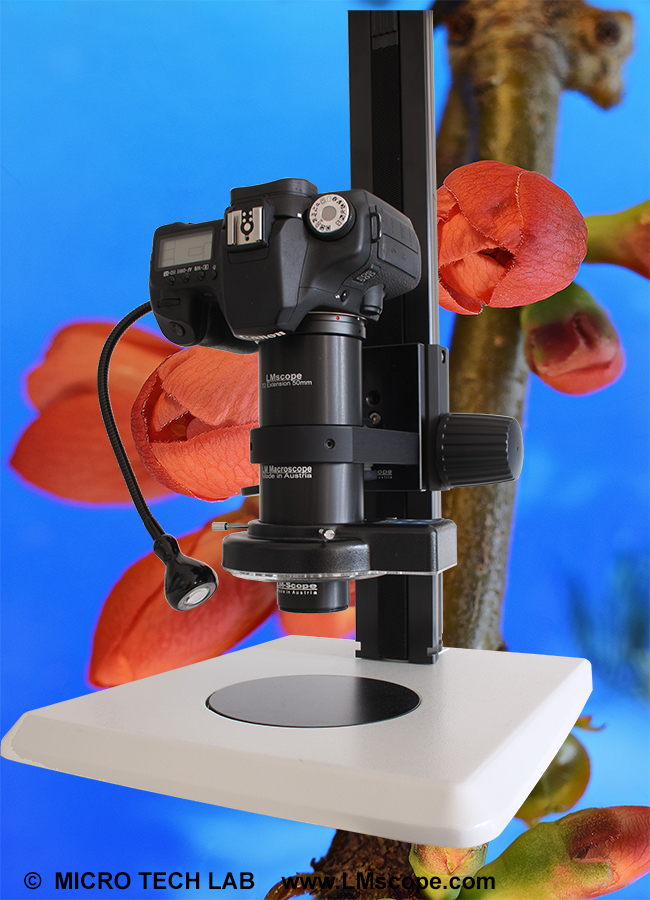
Turn your digital reflex camera into a microscope
Digital SLR cameras can now be converted into a microscope simply by screwing the LM DSLR macro lens  onto the existing lens.
LM DSLR macro lens 40mm / 80mm 


Tips and tricks for Digicams / Camcorders
Demo pictures taken with Digital Cameras and Camcorders


© 1999-2008 MICRO TECH LAB. All rights reserved

How to order
Contact
Home
 Newsletter