Live preview images with digital or analogue reflex cameras

By using the ZIGVIEW view finder the preview image is displayed on a 2" TFT colour LCD display. The digital view finder has a built-in 1.3 megapixels CMOS colour sensor. You can use digital and analogue SLRs which is of special importance in microscopy and macroscopy. So far the only disadvantage of reflex cameras compared to digital compact cameras has been the fact that previewing of images was not possible. The captured image was displayed on the built-in screen only after pressing the shutter release. However, in microscopy moving preview images are a big advantage when it comes to judging the image quality, optimising illumination and focussing. Digital reflex cameras are much better than compact cameras as regards image quality and shooting ease. But not only the number of megapixels is relevant: large-format CMOS sensors have also a better signal-noise ratio, which is of special importance when capturing images at high ISO values. Since you can remove the camera's objective and fix the LM Digital Adapter directly to the bayonet, interference from non-removable objective lenses is avoided. Focusing the built-in objective of compact cameras, which is often annoying and time-consuming, is no longer necessary. If, for example, you want to edit the images with a surveying programme (such as, e.g., Metric) you should definitely use a digital SLR. Exact calibration is hardly possible with compact cameras because the zoom objective is positioned differently depending on the zoom adjustment and cannot be positioned manually.


ZIGVIEW Digital View Finder for Canon EOS 350D
ZIEGVIEW-compatible cameras:

Digital SLR Cameras
 
Nikon
D100,D70, D70s, D50, D2H, D2X, D1, D1H
Fuji 
S1PRO, S2PRO, S3 PRO
Canon EOS 300D, 350D, 10D, 1Ds MKII
Olympus E300
Pentax istD, istDS
Sigma SD9, SD10
Minolta Dynax 7D


Film SLR Cameras

Nikon F80D(S), F75,  F65,  F55, FM10, EM, FM3A, FM2, FE2, F3, FA, FM, F2,F5,F5,F4, F90x, F801
Canon EOS 66, 88, 100, 500N, 5, 3, 55, Kiss
Pentax MZ-3,Z-1P, K100, LX, ME Super
Sigma SA7, SA9
Dynax 7xi, a-7. 7700i, X300, X700


For highest image quality in microscopy we currently recommend to use microscopes with a trinocular tubus, a LM Digital Adapter and a CANON EOS 350D or 5D as well as the ZIGVIEW digital view finder.
Use a USB cable  to connect the camera to your computer and capture images and control the DSLR in the "Remote Shooting function" mode of the Canon ZoomBrowserEX software.

(Last up-dated: February 2006)
Manufacturer: www.secu-line.com


New LM Digital-Adapter for:
Canon EOS 1Ds Mark III / Nikon D3 / Nikon D300 / Olympus E-3 / Canon EOS 450D / Digital Rebel XSi / Canon EOS 1D Mark III / Sony Alpha 350 / Olympus E-330 / Olympus E-510 / Sony Alpha 300 / Olympus E-410 / Olympus E-520 / Panasonic Lumix DMC-L10 / Pentax K20D / Canon EOS 1Ds Mark II / Canon EOS 40D / Samsung GX-20 / Leica Digilux 3 / Canon EOS 5D / Sony Alpha 700 / Canon EOS 400D / Digital Rebel XTi / Olympus E-400 / Sigma SD14 / Canon EOS 30D / Kodak DCS Pro 14n / Kodak DCS Pro SLRc / Canon EOS 1D Mark II / Canon PowerShot S80 / Kodak DCS Pro SLRn / Canon EOS 20D / Canon EOS 20Da / Canon EOS 350D / Digital Rebel XT / Canon EOS 1D Mark II N / Fujifilm FinePix S5 Pro / Olympus C-7070 Wide Zoom / Nikon D2X / Canon EOS 10D / Canon EOS 300D / Digital Rebel / Nikon D200 / Olympus C-5060 Wide Zoom / Sigma SD9 / Pentax K10D / Sigma SD10 / Nikon Coolpix 4500 / Olympus E-300 / Nikon Coolpix 990 / Olympus E-500 / Nikon Coolpix 995 / Fujifilm FinePix S3 Pro / Nikon D2Xs / Nikon Coolpix P5100 /


Which digital camera functions best on a microscope?


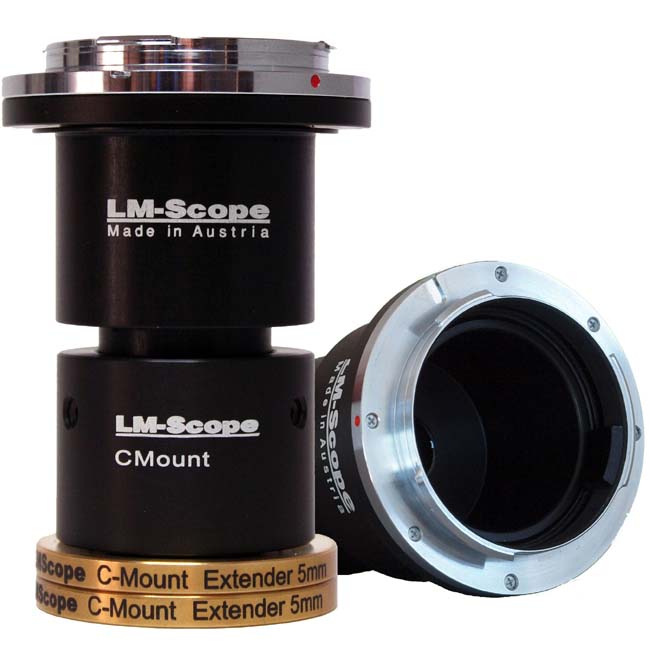
High-end intermediate optics for the connection of digital camera and microscope


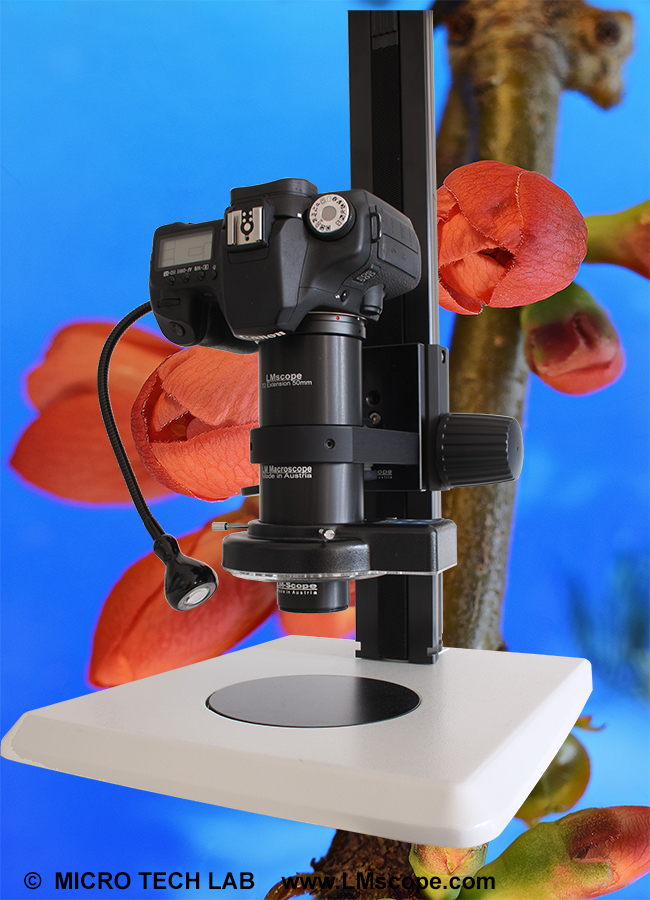
Turn your digital reflex camera into a microscope
Digital SLR cameras can now be converted into a microscope simply by screwing the LM DSLR macro lens  onto the existing lens.
LM DSLR macro lens 40mm / 80mm 


Tips and tricks for Digicams / Camcorders
Demo pictures taken with Digital Cameras and Camcorders


© 1999-2008 MICRO TECH LAB. All rights reserved

How to order
Contact
Home
 Newsletter