Digital Camera Microscope Rating

Which digital camera functions best on a microscope?

This list is intended to simplify your search for the right digital camera. The main focus is placed on the camera functions required in microscopy. Using an optimal camera will significantly increase image quality and operating speed.

Camera evaluation

We have tried to be as neutral and objective as possible when evaluating the cameras for their optimal microscopy functions. Depending on their importance in microscopy, we have ranked the functions differently. The individual points were then added together to calculate a points total.


Evaluation key

Removable camera lens

If yes

2000 points

Automatic exposure control when lens is removed

If yes

1500 points

LIVE VIEW (moving preview image on camera LCD  )

If yes

1000 points

Number of sensor pixels

Megapixels x 200

[Megapixels] x 200 point

Mirror lock-up (all camcorders and compact cameras are set to Yes)
If yes
11000 points

Bonus points for camera functions particularly helpful and suitable for microscopy

E.g. closable prism viewfinder, moveable camera LCD screen, remote control release

0 to 3000 points


Camera ranking for digital SLR cameras and compact cameras


Using digital cameras on a microscope puts particular demands on the camera.
Simply having a large number of pixels on the sensor chip is still no guarantee of high-quality microscope images. Only in combination with other relevant factors does a good sensor chip produce the optimal image quality.

Order of digital camera functions that significantly improve image quality in microscopy

1. Removable camera lens
2. Automatic exposure control without mounted original lens, e.g. T2 connection
3. LIVE VIEW, moving preview image on camera LCD
4. Number of sensor pixels
5. Mirror lock-up
6. Closable viewfinder
7. Moveable camera LCD screen
8. Remote control release (cable, infrared, or radio)

1. Removable camera lens

When using digital cameras on a microscope, it is a great advantage if the camera lens can be removed. Reducing all optical lenses in the light path of the microscope that are not absolutely essential for the microscopic image (this can be as many as 18 lenses) considerably increases the image quality.

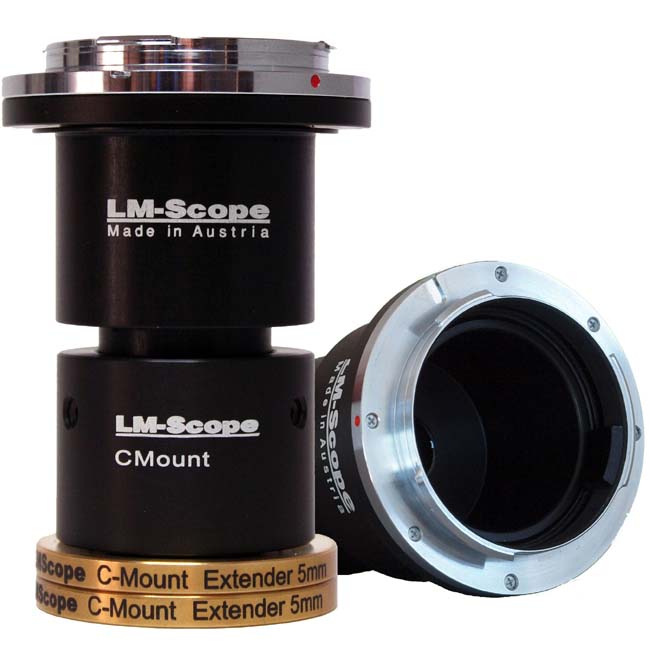
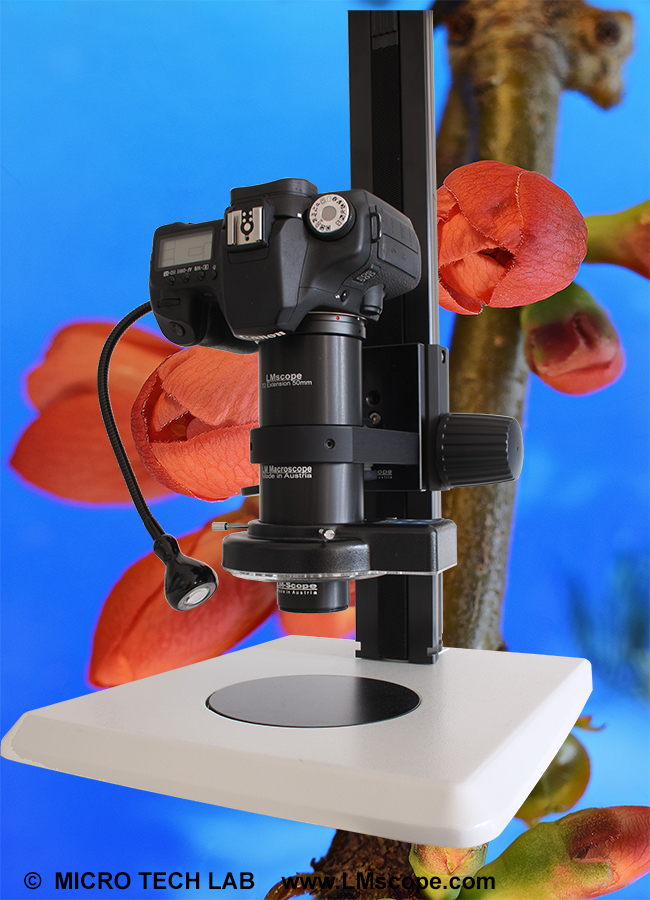
In the case of SLR cameras, the lens can usually be removed. The LM digital DSLR adapter undertakes the mechanical and optical adjustments and generates an optimally lit, focused and high-contrast image. The resulting image quality is much higher than that of images taken with compact cameras and camcorders without removable lenses.
Using compact cameras is a particular disadvantage when running measurement programs on a computer. The fixed zoom lens on compact cameras makes it almost impossible to calibrate for length measurements, as the zoom setting of the lens cannot be reproduced precisely. This always results in a different total enlargement.

2. Automatic exposure control

A fully functional automatic exposure control, even without the original lens being mounted, is particularly important when using a digital camera in microscopy. Some camera models do not accept any external lenses, the result being that attachments (such as bellows, telescope adapters and LM digital adapters) cannot be used, despite a standard original T2 connection.

Some digital camera models only have a manual exposure mode, which, for most microscopic work, can be very time-consuming. To gain optimal exposure with such cameras, an exposure bracket is necessary in almost all cases. Fortunately, many commercial digital SLR cameras have a fully functional automatic exposure control, which also operates with a T2 connection, without the original lens being mounted. These digital SLR cameras are equipped with a program automatic feature, which usually is well-suited for microscopy and results in a form of automatic aperture control with a T2 connection, without the necessity of having the original lens mounted. Of course, it is preferable to use the automatic exposure control with aperture preselection. If the automatic aperture mode is activated, the microscope images will inevitably be incorrectly exposed. When using a T2 connection, on the other hand, an open aperture is always simulated, and therefore images are automatically exposed with the correct shutter time. Necessary adjustments to the exposure can most easily be made using the exposure compensation button (+/-) or after switching to the shutter speed preselection mode (= automatic exposure control with shutter speed preselection). Unfortunately, there is still no digital SLR camera with auto exposure bracketing that is optimal for microscopy. This function would further simplify the optimal exposure management.
The selection of the metering mode (spot metering, integral metering or multiple-field metering) is dependent on the respective digital camera model and the subject to be captured. Generally speaking, all three metering modes produce good results for most microscopic specimens with a normal contrast. In the case of dark field, polarisation and fluorescence, spot metering or multiple-field metering will usually yield success.

3. LIVE VIEW, moving preview image on camera LCD

All compact cameras and some digital SLR cameras feature a “Live View” function. The real image is shown directly, i.e. “live”, on the camera display. For compact cameras, some of which are not equipped with optical viewfinders, this function is a matter of course. In the case of digital SLR cameras (DSLRs), this is currently (2007) rather the exception than the rule.
In standard DSLRs, the optical viewfinder is used to focus. Then, once the shutter button has been pressed, the image is shown on the LCD display. This means that only the images already captured can be viewed and evaluated. If a camera is mounted upright on a microscope, it is very inconvenient to use an optical viewfinder.

An optional right angle viewfinder or an optional attachable digital viewfinder makes matters slightly easier for SLR cameras. If the digital SLR camera is attached upright onto the microscope, then with some models of these digital viewfinders, the colour display does not point towards the microscope operator at a slight angle, as is desired, but unfortunately at an angle of about 15° upwards from the upright position. Only the very latest attachable digital viewfinders can be rotated or have a removable wired TFT colour display, which allows a comfortable, ergonomic work position. However, these digital viewfinders cost the same as a moderately priced SLR camera!

Some digital SLR cameras, such as the Olympus E330, E410, and E510 models or the Canon EOS Mark III, are equipped with the Live View function. This makes it possible to check the image on the camera display before capturing the image and, where necessary, to refocus the microscope or select a different image composition. In the case of the Olympus E330, E410, and E510 models, it is also possible to view the moving Live View preview image with a 10x digital magnification and to focus the image precisely. This makes it possible to get the best possible image definition.

In most cases, a video output (PAL/NTSC) is also available, which can be used to display the Live View images on an external monitor.

4. Number of sensor pixels

In microscopy, it is not just the number of pixels that is responsible for the quality, focus and contrast of an image. The key influential factor in determining resolution power is the optics system used. The microscope lenses represent another important factor. Because a chain is only as strong as its weakest link, the optics system should always be comprised of components of the highest possible quality, which complement each other as optimally as possible.
To achieve the best quality in microscopic photos, it is recommended to use at least plan achromats. Plan fluors or plan apochromatic lenses are, of course, better still. The greater the zoom factor used, the smaller the influence of the digital camera’s number of pixels. Due to physical principles, a high number of pixels is an advantage for low magnifications and, in particular, photomacrographs.

5. Mirror lock-up

During exposure, the mirror on an SLR camera is flipped up. This clears the path of light to the curtain shutter and, once open, allows the sensor chip to be exposed. Unfortunately, the mirror is quite large. Flipping up the mirror thus causes vibrations which are transmitted throughout the entire system. These vibrations usually lead to camera shakes, resulting in a more or less significant reduction in the sharpness of the image. DSLRs that are optimal for microscopy feature a “mirror lock-up” function. Once the capture has been triggered, the mirror is first flipped up before the exposure takes place. In the case of some models, the delay between the mirror being flipped up and the curtain shutter opening can be set in seconds.
The mirror lock-up feature prevents vibrations, caused by flipping up the mirror, from occurring during the “sensitive” exposure period. This camera function significantly improves the quality of photomicrographs.

This point is irrelevant for all camcorders and compact cameras because, in contrast to SLR cameras, central shutters do not result in motion blurs due to camera shakes.

[Further information on mirror lock-up]

6. Closable viewfinder


Microscope images produced with DSLRs that are optimally suited for microscopes are usually evaluated on the camera’s LCD screen without using the optical viewfinder. This makes it necessary to close the cover on the viewfinder by turning the viewfinder shutter lever. If this is not the case, ambient light will infiltrate the viewfinder and distort the results of the exposure measurements. The consequence is photomicrographs that are incorrectly exposed. This effect has driven many microphotographers to sheer desperation. Fitting a piece of lightproof black material over the viewfinder can temporarily prevent ambient light infiltration.

7. Moveable camera LCD screen

In photomicrography, the photographer usually sits in front of the microscope with the digital camera mounted on top. It is extremely uncomfortable if the photographer is forced to stand up and look at the immovable camera LCD or through the optical viewfinder in order to check the display window and/or the image composition.

A digital SLR camera with a moveable camera LCD is therefore optimal for microphotography. If the LCD screen is adjusted so that the display points slightly towards the microscope operator (the optimal angle), the image can easily be viewed and assessed from a sitting position. Alternatively, when using immovable camera LCDs, the image can be viewed on an external monitor. A PAL/NTSC video output is integrated in many digital cameras, and an AV cable is a standard piece of equipment. Using a graphic card, a computer screen can also be turned into a video monitor.

8. Remote control release

Image definition can easily be improved by using a remote control release. Remote control releases are usually included with the basic equipment of a digital camera. Depending on the camera model, remote control releases operated by cords, infrared and, more rarely, radio, are also available in retail stores. If no remote control release is used, images inevitably end up being out of focus due to camera shakes. This motion blur is characterised by indistinct double structures throughout the entire image.

If no remote control release is available, the somewhat cumbersome self-timer function can, at a push, be activated.


Which digital camera works best on a microscope? [List of cameras]


Neue LM Digital-Adapter for:
Canon EOS 1Ds Mark III / Nikon D3 / Nikon D300 / Canon EOS 450D / Digital Rebel XSi / Olympus E-3 / Canon EOS 1D Mark III / Sony Alpha 350 / Olympus E-330 / Sony Alpha 300 / Olympus E-410 / Olympus E-510 / Panasonic Lumix DMC-L10 / Pentax K20D / Canon EOS 1Ds Mark II / Canon EOS 40D / Samsung GX-20 / Canon EOS 5D / Sony Alpha 700 / Leica Digilux 3 / Olympus E-400 / Canon EOS 400D / Digital Rebel XTi / Sigma SD14 / Kodak DCS Pro 14n / Kodak DCS Pro SLRc / Canon PowerShot S80 / Canon EOS 20D / Canon EOS 1D Mark II N / Canon EOS 1D Mark II / Canon EOS 30D / Kodak DCS Pro SLRn / Canon EOS 20Da /


Demo pictures taken with Digital Cameras and Camcorders


High-end intermediate optics for the connection of digital camera and microscope

Tele and Macro Lenses for digital cameras and camcorders


Tips and tricks for Digicams / Camcorders


© 1999-2007 MICRO TECH LAB
These images are free for private use.
Commerical use only with authorization of MICRO TECH LAB.

How to order
Contact
Home
 Newsletter